
Blender RBF Nodes插件下载v1.3.0 - 径向基函数节点求解器|多属性驱动绑定工具
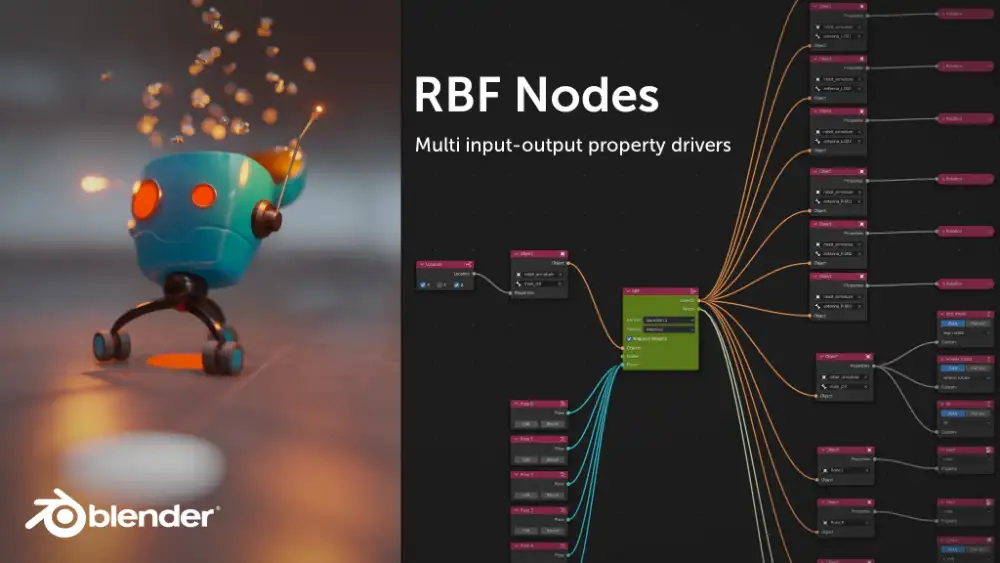
RBF Nodes for Blender 是一款基于节点操作的径向基函数求解器插件,专为Blender用户设计,用于解决复杂动画驱动与多属性联动问题。RBF全称为Radial Basis Function,即径向基函数,是一种广泛应用于数据插值与近似计算的数学方法。在三维动画制作中,常规驱动方式在面对多输入多输出的复杂关联场景时往往会遇到瓶颈,而RBF Nodes通过引入节点化的工作流程,让艺术家能够预先定义一系列样本姿态或数值状态,并在此基础上对任意输入组合进行平滑、精确的插值输出。Blender原生的驱动器系统虽然支持多个输入变量,但每个驱动器只能控制一个输出目标,这种一对多的限制使得许多高级绑定需求难以实现。RBF Nodes则彻底突破了这一限制,允许用户使用多个驱动值同时控制多个被驱动属性,无论是骨骼变形、物体变换、材质参数还是几何节点中的属性,都可以被纳入同一个RBF求解网络中。该插件拥有独立的节点编辑器,用户可以在编辑器面板中自由创建、连接和调整RBF节点,而不必依赖特定的模式或界面环境,这大大提升了使用的灵活性与通用性。与许多仅限骨架绑定的同类工具不同,RBF Nodes不仅适用于骨骼系统,还可以直接作用于普通物体、着色器节点以及几何节点,使其应用场景从角色绑定扩展到材质动画、程序化建模、特效控制等多个领域。在技术实现上,插件通过自定义的节点树结构来管理样本数据和求解逻辑,每个样本姿态可以存储多个驱动值和被驱动值的对应关系,默认情况下单个姿态支持1024个数值的存储容量,这一数量在绝大多数项目需求中已经足够使用。如果用户的绑定系统特别复杂,涉及更多的属性通道,也可以在插件偏好设置中轻松扩展这一上限。值得注意的是,由于Blender当前的依赖图机制尚未向外部插件开放完整的求值接口,RBF Nodes需要在插件处于启用状态时才能正确触发节点求值流程,因此在渲染或播放包含RBF节点的场景之前,必须确保该插件已经安装并激活,否则节点将无法判断何时进行数据更新和求解。此外,当前版本对于链接的RBF设置尚不支持,这是因为Blender的链接机制在外部数据引用方面存在一定限制,开发团队表示正在积极寻求解决方案以改善这一兼容性问题。对于版本兼容性,RBF Nodes提供了两个主要版本分支:1.2.1版本适用于Blender 3.1.0及更高版本,而1.3.0版本则作为扩展专为Blender 4.2及以上版本优化。安装过程十分简单,用户只需下载ZIP格式的插件包,在Blender偏好设置中选择安装并激活即可开始使用。插件自带详细的视频教程,帮助用户快速上手节点创建、样本定义和求解调试等核心操作。从实际应用角度看,RBF Nodes特别适合处理那些传统驱动器难以表达的复杂关联动画,例如面部表情系统中多个控制器同时影响多个变形骨骼的情况,或者机械装置中多个关节角度共同决定末端执行器姿态的场景。通过定义关键姿态样本,插件能够在这些样本之间自动生成平滑过渡,从而大幅减少手动关键帧的数量,提升动画制作效率与质量。同时,由于节点化的工作方式,用户可以直观地查看和修改每一个求解环节,便于调试和迭代优化。对于需要精细控制动画细节的专业绑定师和动画师而言,RBF Nodes无疑是一个极具价值的工具扩展。它不仅弥补了Blender原生驱动系统的不足,还通过通用化的设计理念将径向基函数求解能力引入到更广泛的创作流程中,无论是角色绑定、道具动画还是程序化内容生成,都能从中获得显著的效率提升与创作自由度扩展。随着Blender在影视、游戏和虚拟制作领域的持续普及,像RBF Nodes这样针对特定技术痛点提供高效解决方案的插件,正逐渐成为专业工作流中不可或缺的组成部分。
RBF Nodes is a node-based RBF solver for Blender. It allows to drive multiple properties with multiple driver values.
RBF stands for Radial Basis Function and is used to approximate or interpolate a given set of values at any defined sample point. RBFs have a wide range of applications and can be very helpful when regular ways of driving values fail in 3D animation. It basically allows the user to interpolate multiple values based on a set of sample values, or poses which are defined by the artist in advance. For standard drivers, such multi-value interpolation is not easily, or even impossible to achieve. Like, a driver in Blender can have multiple input values but only one output target. RBFs can solve multiple output values based on multiple input values.
RBF Nodes has its own node tree to make it independent from any modes and panels. Even though RBFs are commonly used for rigging to drive certain deformation effects it would be a waste to limit it to armatures only. Therefore, you can use it with objects, armatures, shaders and geometry nodes, which makes it very versatile.
Important Note:
It’s possible that certain object and property combinations are not yet functional or supported. If you hit a limitation or issue feel free to contact us. We’ll see what we can do.
Compatibility
Blender 3.1.0 and later
Version
1.2.1 (Blender 3.1.0 and later)
1.3.0 (Extension for Blender 4.2 and later)
Installation
Download the add-on as a ZIP-file.
Open the Blender Preferences window by choosing Edit > Preferences…
Select the Add-ons tab.
Press Install… and select the downloaded ZIP file. After successful installation the add-on should be visible in the list.
Activate the add-on.
Usage
The RBF Nodes editor can be found in Editors > RBF Nodes Editor.
Please refer to the video tutorial.
Limitations
In order to play back or render a scene containing RBF nodes it’s mandatory that the add-on is installed. Since Blender doesn’t offer any outside access to the dependency graph in it’s current state, the evaluation of the RBF nodes needs to get triggered through the add-on. If the add-on is not available the nodes don’t know when to evaluate.
Even though the virtual number of input and output values is unlimited there is an internal limit due to technical limitations of Blender. By default a pose can store 1024 values which are shared amongst driver and driven values. If this value is not sufficient it can be easily expanded by editing the add-ons preferences.
RBF setups which are linked are currently not working due to the linking mechanisms in Blender. We are working on a solution.
免费下载
-
Blender手柄动画控制器插件 Gamepad Control Rig v1.3.0 是一款面向 Blender 用户打造的高效率实时动画控制工具,它能够将常见的游戏手柄直接转化为动画创作中的精密输入设备,让动画师、绑定师、独立创作者以及互动内容设计人员通过更直观、更自然的方式控制场景中的各种属性。传统的 Blender 动画调整通常依赖鼠标、键盘、时间轴和属性面板来逐项设置,而这款插件的核心价值就在于把“按键、摇杆、扳机、方向键”等手柄输入映射到 Blender 中的关键...