
Blender核心基础教程下载:Transform与Gizmo变换控制入门17课(附练习素材包)Blender Essentials for Beginners Transform and Gizmo
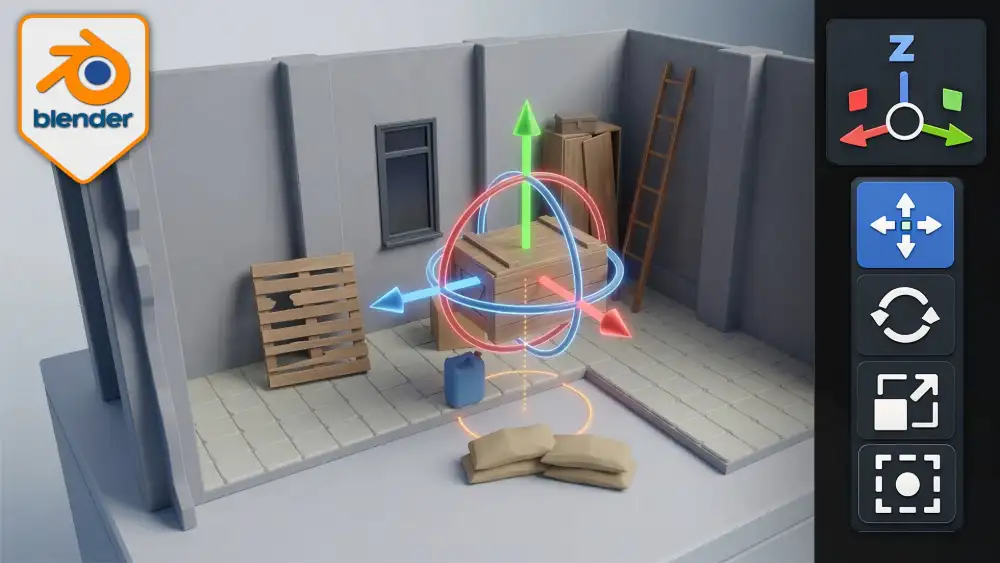
《Blender核心基础:变换与Gizmo小控件入门》是一套非常适合新手系统学习的 Blender 实战课程,重点围绕 3D 建模中最常用、也最容易被忽视的“变换系统”展开。很多刚接触 Blender 的用户,往往知道按 G 可以移动、按 R 可以旋转、按 S 可以缩放,但一旦进入真实项目,就会频繁遇到物体移动不准确、旋转中心不对、缩放后模型异常、镜像修改器失效、坐标轴方向混乱等问题。表面上看,这些只是操作不熟,实际上根本原因往往在于对 Blender 变换逻辑理解不完整。本教程正是针对这一痛点而设计,从最基础的移动、旋转、缩放工具讲起,逐步深入到坐标轴约束、平面约束、数值输入、组合式 Transform Gizmo、小控件操作逻辑,以及 G/R/S 快捷键的高效工作方式。整套课程共包含 17 节内容清晰、目标明确的专项课程,采用循序渐进的讲解方式,把“会拖动物体”和“能精准控制物体”之间的差距完整补上。对于希望真正掌握 Blender 物体控制能力的用户来说,这不是一套单纯演示功能的入门视频,而是一套帮助你建立正确操作思维和底层认知的变换系统教程。课程支持 Blender 5 与 Blender 5.1,并且所讲内容同样适用于近几个版本的 Blender,因此无论你是刚入门的新手,还是自学过程中总感觉哪里不顺的用户,都可以通过这套课程打下非常扎实的基础。教程还附带免费的练习资源包,包含废土风模块化场景素材,如墙体、地板、箱体、立柱等,让学习者不只是对着默认立方体练习,而是在更接近真实制作流程的几何模型上进行操作训练,从而更快建立实际项目中的使用习惯。
从课程内容来看,这套 Blender 教程并不是简单地教你“按钮在哪里、快捷键是什么”,而是围绕“为什么这样操作、什么时候该这样做、做错后会出现什么后果”来展开,非常适合希望从基础走向规范化工作流的学习者。课程前半部分重点讲解 Blender 中最常用的三类基础变换工具:Move、Rotate、Scale,也就是移动、旋转和缩放,并结合屏幕上的 Gizmo 小控件,让新手理解手柄方向、箭头控制、圆环旋转以及不同模式下的可视化交互方式。同时,教程会进一步讲到轴向锁定和视图约束,例如如何沿 X、Y、Z 单轴精确移动,如何在特定平面中移动物体,如何通过视图锁定提升复杂场景中的摆放效率。接下来,课程会引导学习者熟练掌握 G/R/S 快捷键工作流,包括数字输入方式,比如通过输入精确数值快速完成位移、旋转和缩放,提高建模效率。更重要的是,教程深入拆解 Blender 中许多新手最容易混淆的核心概念,例如 Object Origin(物体原点)、Pivot Point(枢轴点)、Transform Orientation(变换方向)、Item 面板中的 Location、Rotation、Scale 与 Dimensions 之间的关系。很多用户在使用 Blender 时会发现,物体明明选中了,却总是绕着奇怪的位置旋转,或者缩放方向和自己预想的不一致,这些问题本质上都与原点、枢轴和变换方向设置有关。本教程通过单独章节详细解释原点如何设置,Origin to Geometry、Origin to Cursor、Center of Mass 等选项分别适用于什么情况,以及 Affect Only Origins 等高级控制方式如何帮助你单独调整原点而不移动模型本体。除此之外,课程还会讲到 Dimensions 和 Scale 的差异,帮助用户理解为什么有时模型尺寸正确但缩放值却不正常,以及为什么在导出资产、使用镜像修改器或父子层级时,Apply Transforms(应用变换)是如此重要。对于打算将 Blender 用于游戏建模、场景搭建、模块化资产制作或后续导出到 Unity、Unreal Engine 等引擎中的学习者来说,这部分内容尤其关键,因为不规范的变换数据往往会导致后续流程出现更多问题。教程不仅告诉你 Ctrl+A 怎么用,更会告诉你什么时候应该应用变换、什么时候不能随便应用,以及不处理好缩放和原点可能会带来哪些实际后果。
这套课程真正有价值的地方,在于它不只是“教会操作”,更进一步建立了 Blender 变换系统的完整框架,让学习者在后续建模、场景整理、模块对齐、镜像修复和导出流程中都能受益。课程后半段会继续扩展到更深入也更实用的内容,包括 Global、Local、Normal、Cursor、View、Gimbal、Parent 等多种 Transform Orientation 的实际区别与使用方法,并帮助用户理解在不同建模任务中如何选择最合适的变换方向。比如在局部朝向复杂的模型表面上移动对象时,为什么 Local 或 Normal 会比 Global 更高效;在需要配合 3D Cursor 进行精准定位或旋转时,又为什么 Cursor Orientation 会非常实用。教程还会系统讲解 Pivot Point 的多种模式,包括 Median Point、Bounding Box Center、Individual Origins、3D Cursor 与 Active Element 等,让用户知道在多对象编辑、阵列调整、成组旋转以及局部缩放时,选择不同枢轴方式会对结果产生怎样的影响。为了让学习者真正把知识用起来,课程专门设置了实景工作流与故障排查章节,针对 Blender 使用中最常见的变换问题进行修复教学,包括原点偏移、负缩放、父子关系引发的控制异常、Mirror Modifier 镜像修改器不对称等典型问题。很多初学者在项目中一旦遇到镜像错位、模型翻转、法线异常或者旋转失控,就会手忙脚乱,不知道问题出在哪里,而这套课程恰恰提供了非常实用的解决思路,帮助你在问题真正影响项目之前就学会判断和修正。对于自学 Blender 的用户来说,这种“从原理到应用,再到排错”的课程结构非常难得,因为它解决的不是某一个命令不会用,而是长期困扰效率和准确度的一整套底层问题。如果你正在寻找一套适合网站发布、也适合读者搜索“Blender移动旋转缩放教程、Blender原点设置教程、Blender Gizmo使用方法、Blender变换方向详解、Blender Apply Transform教程、Blender镜像修改器修复”等关键词时能够精准匹配需求的优质内容,那么《Blender核心基础:变换与Gizmo小控件入门》无疑是一套值得重点推荐的 Blender 基础课程。它覆盖全面、逻辑清晰、实用性强,既适合零基础用户作为进阶导航与视图操作之后的第二阶段学习内容,也适合已经入门但操作始终不够精准的用户进行系统补课。通过这 17 节课程的训练,学习者不仅能掌握 Blender 中最核心的变换工具和快捷键,更能建立专业、稳定、可复制的建模工作习惯,真正做到在任何项目中都能自信地控制物体的位置、方向与尺寸,不再被小控件和坐标系统反复“折磨”。
Blender Essentials: Transform and Gizmo Basics is a hands-on, beginner-friendly course that takes you from fumbling with the gizmo to controlling objects with total precision. Across 17 focused lessons you’ll master the Move, Rotate and Scale tools, axis and plane constraints, the combined Transform gizmo, and the lightning-fast G / R / S shortcuts with numeric input.
1 - Transform Tools Gizmos, Move and Rotate
1 - 3DT Resource Pack - Blender Essentials for Beginners Transform and Gizmo Basics.zip
1 - Lesson 1 - Mastering Transform Tools and Gizmo Controls in Blender (Description).html
1 - Lesson 1 - Mastering Transform Tools and Gizmo Controls in Blender.mp4
2 - Lesson 2 - Precise Object Movement with Axis and View Constraints (Description).html
2 - Lesson 2 - Precise Object Movement with Axis and View Constraints.mp4
3 - Lesson 3 - Trackball and Axis-Locked Rotation in Blender (Description).html
3 - Lesson 3 - Trackball and Axis-Locked Rotation in Blender.mp4
2 - Scaling and the All-in-One Transform Gizmo
4 - Lesson 4 - Uniform and Axis Scaling with Smart Object Variations (Description).html
4 - Lesson 4 - Uniform and Axis Scaling with Smart Object Variations.mp4
5 - Lesson 5 - Mastering the Transform Gizmo for Precise Control (Description).html
5 - Lesson 5 - Mastering the Transform Gizmo for Precise Control.mp4
3 - Object Origins and the Item Panel
6 - Lesson 6 - Understanding and Setting Object Origin Points (Description).html
6 - Lesson 6 - Understanding and Setting Object Origin Points.mp4
7 - Lesson 7 - Advanced Origin Control with Affect Only Origins (Description).html
7 - Lesson 7 - Advanced Origin Control with Affect Only Origins.mp4
8 - Lesson 8 - Mastering Location, Rotation, Scale and Origins (Description).html
8 - Lesson 8 - Mastering Location, Rotation, Scale and Origins.mp4
4 - Dimensions, Applying Transforms and Local vs Global
9 - Lesson 9 - Using Dimensions for Accurate Real-World Scale (Description).html
9 - Lesson 9 - Using Dimensions for Accurate Real-World Scale.mp4
10 - Lesson 10 - Applying Transforms and Resetting with Ctrl A (Description).html
10 - Lesson 10 - Applying Transforms and Resetting with Ctrl A.mp4
11 - Lesson 11 - Global vs Local Transform Orientations Explained (Description).html
11 - Lesson 11 - Global vs Local Transform Orientations Explained.mp4
5 - Custom Orientations, Pivot Points and Shortcuts
12 - Lesson 12 - Normal, Cursor and Parent Transform Orientations (Description).html
12 - Lesson 12 - Normal, Cursor and Parent Transform Orientations.mp4
13 - Lesson 13 - Mastering Transform Pivot Points and 3D Cursor Control (Description).html
13 - Lesson 13 - Mastering Transform Pivot Points and 3D Cursor Control.mp4
14 - Lesson 14 - Speed Up Modeling with Grab Rotate Scale Shortcuts (Description).html
14 - Lesson 14 - Speed Up Modeling with Grab Rotate Scale Shortcuts.mp4
6 - Real-Scene Workflow and Fixing Transforms
15 - Lesson 15 - Scene Cleanup Using Grab Rotate Scale and 3D Cursor (Description).html
15 - Lesson 15 - Scene Cleanup Using Grab Rotate Scale and 3D Cursor.mp4
16 - Lesson 16 - Fix Transform Issues Origins, Parenting and Scale (Description).html
16 - Lesson 16 - Fix Transform Issues Origins, Parenting and Scale.mp4
17 - Lesson 17 - Fix Mirror Modifier with Custom Transform Orientation (Description).html
17 - Lesson 17 - Fix Mirror Modifier with Custom Transform Orientation.mp4
格 式:MP4
工 程:包含工程文件
所用软件:Blender 5
分 辨 率:高清1920×1080
时 长:2小时9分钟
大 小:4.7GB
语言字幕:英文无字幕
免费下载
↓ 下载 6-

如果你正在寻找一套能够系统学习 Blender机器人硬表面建模、材质贴图、绑定动画、场景搭建与渲染输出 的完整课程,那么这套由 Louis du Mont 主讲的 CGBoost《Robotic Planet》 无疑是非常值得关注的一套精品教程。课程围绕“机器人制作”这一极具表现力和商业潜力的主题展开,从最初的创意构思,到具体的模型搭建,再到材质节点制作、骨骼绑定、动画设计、灯光渲染以及最终成片输出,形成了一个非常完整的 Blender 学习闭环。和很多只讲单一模块的教程不同...
-
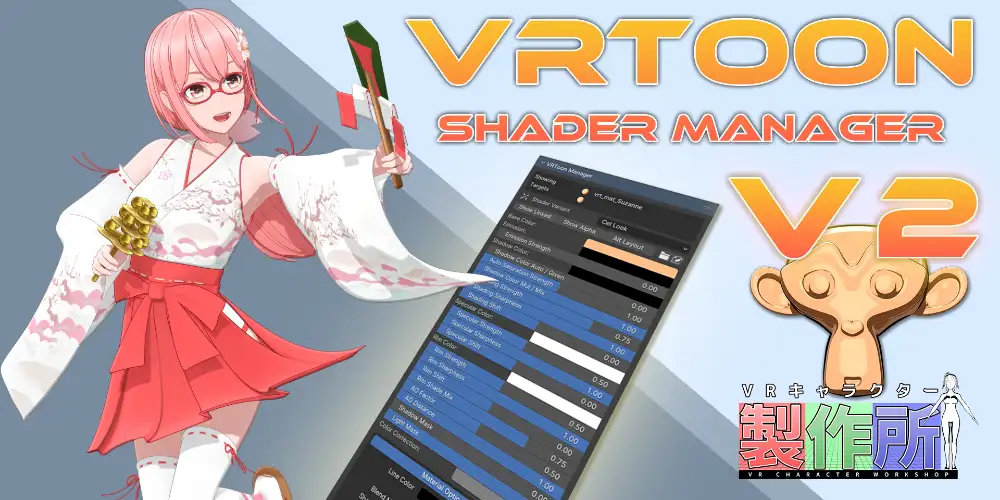
Vrtoon Shader Manager V2.3.7 是一款专门面向 Blender Eevee 渲染器打造的 NPR 非真实感卡通着色器管理插件,主要用于快速制作动漫角色、二次元人物、卡通场景、游戏模型以及风格化产品展示效果。与需要手动搭建大量材质节点的传统流程相比,Vrtoon Shader Manager V2 将复杂的卡通明暗分层、边缘光、镜面高光、法线细节、描边和材质参数集中到统一的管理界面中,让用户无需反复进入每一个材质节点树,也能高效完成整套模型的着色调整。...
-
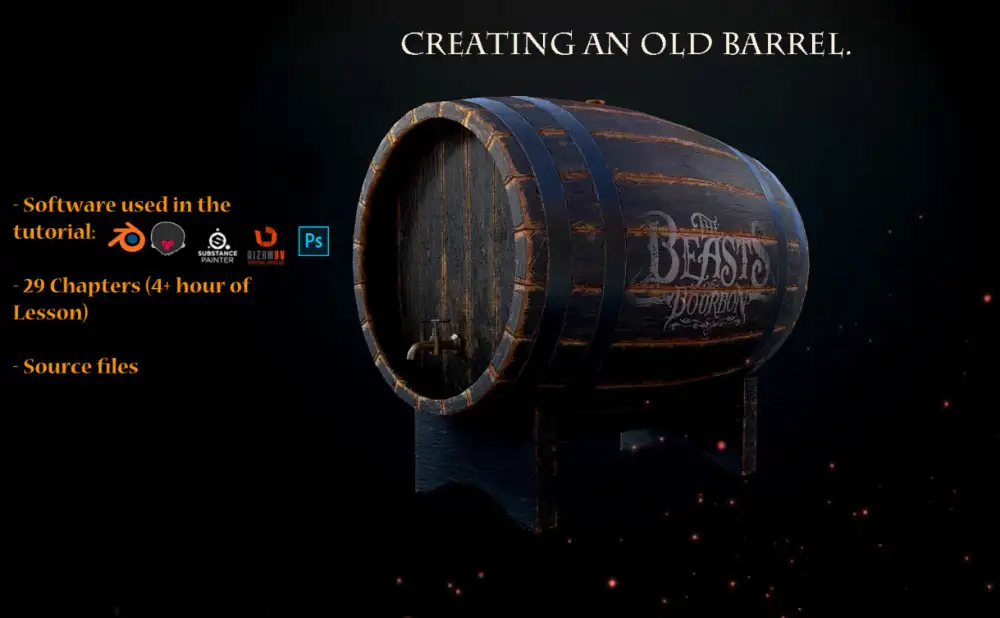
At the very beginning we will create the main body in Blender. Then we make a UV unwarp in the Rizom UV. Baking maps in Marmoset ToolBag. And texturing barrel in Substance Painter. The final render is made in Marmoset.About the tutorial:Sou...
-
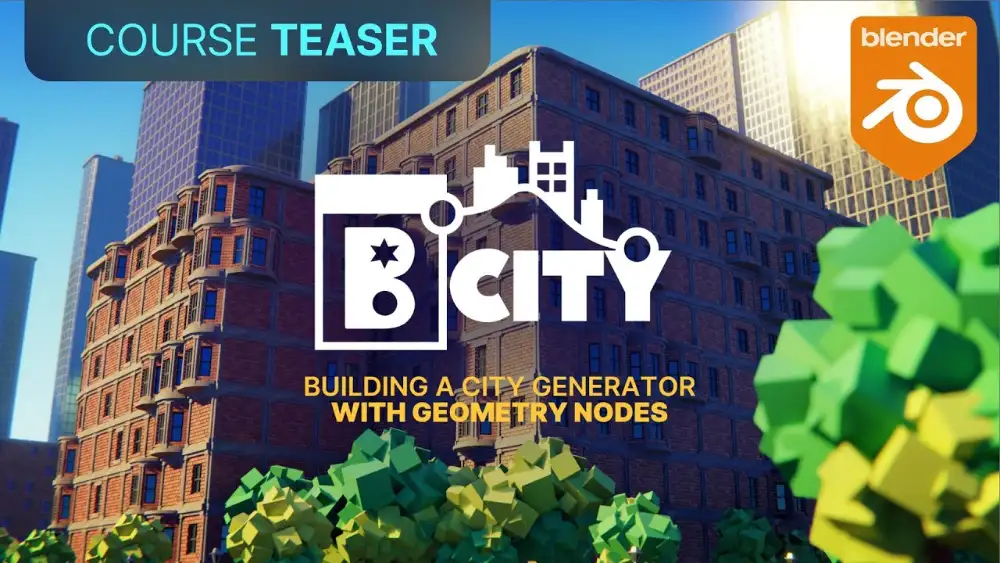 视频教程 2026-08-10
Blender几何节点程序化城市生成器教程CG Cookie BCITY下载BCITY | Building a Procedural City Generator with Geometry Nod
课程概述与适合人群:CG Cookie推出的《BCITY|Building a Procedural City Generator with Geometry Nodes》是一套围绕Blender几何节点制作程序化城市的系统教程,课程由技术艺术家Mike Hodgetts主讲,总时长超过5小时。几何节点是Blender中功能强大、学习门槛也相对较高的核心模块,它并不只是把若干节点连接起来,而是要求学习者理解几何数据、属性传递、参数控制、实例化以及程序化建模之间的逻辑关系。BC...