

在macos中不用打开blender软件将blend模型批量导出obj
创建一个新的shell脚本 export_all_v4.sh
#!/bin/bash
# 设置目录路径
BLEND_DIR="/Users/zhangbo/Desktop/Blende卡通元宇宙科技网络智能产品图标3D模型PNG设计素材25款/BLEND"
# 切换到目标目录
cd "$BLEND_DIR"
# 遍历所有.blend文件
for blend_file in *.blend; do
    if [ -f "$blend_file" ]; then
        echo "正在处理: $blend_file"

        # 获取不含扩展名的文件名
        filename="${blend_file%.blend}"

        # 使用Blender命令行模式处理文件
        /Applications/Blender.app/Contents/MacOS/Blender \
            "$blend_file" \
            --background \
            --python-expr "
import bpy
import os
# 启用OBJ插件
try:
    bpy.ops.preferences.addon_enable(module='io_scene_obj')
except:
    pass
# 获取文件名
filename = bpy.path.basename(bpy.data.filepath).replace('.blend', '')
obj_path = os.path.join(os.path.dirname(bpy.data.filepath), filename + '.obj')
# 选择所有对象
bpy.ops.object.select_all(action='SELECT')
# 尝试导出
try:
    # Blender 4.x 新版导出器
    bpy.ops.wm.obj_export(
        filepath=obj_path,
        export_selected_objects=False,
        export_uv=True,
        export_normals=True,
        export_materials=True
    )
    print(f'导出成功: {obj_path}')
except:
    try:
        # 旧版导出器
        bpy.ops.export_scene.obj(
            filepath=obj_path,
            use_selection=False,
            use_materials=True,
            use_uvs=True,
            use_normals=True
        )
        print(f'导出成功(旧版): {obj_path}')
    except Exception as e:
        print(f'导出失败: {e}')
"

        echo "完成处理: $blend_file"
        echo "---"
    fi
done
echo "所有文件处理完成!"1.保存上述脚本为 export_all_v4.sh,放在某个文件夹或桌面上
2.打开终端,执行以下:
将放export_all_v4.sh文件的父级目录拖到“cd ”空格后面,例如:
cd /Users/blender/Desktop/blmodel
回车
3.在终端中给脚本添加执行权限:
chmod +x export_all_v4.sh
4.运行脚本:
./export_all_v4.sh
-
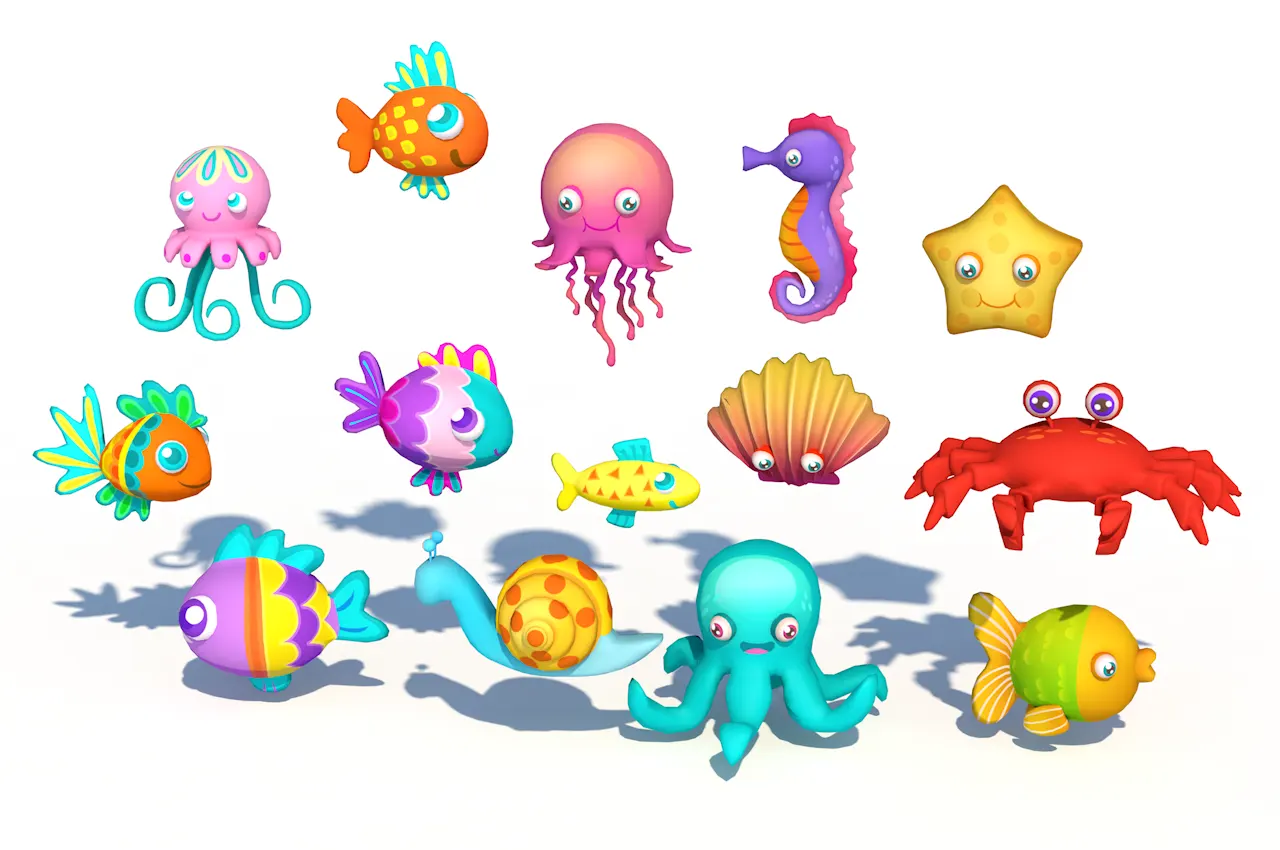
这个14个卡通海洋动物3D模型素材集合展示了一组造型独特、色彩鲜明且极具亲和力的海洋生物形象。首先,我们可以看到这组模型全部采用了Q版卡通风格,整体造型圆润可爱,人物设计极大地弱化了真实海洋生物的锐利感,转而突出柔和、友善的艺术表达。所有海洋动物都采用了大而明亮的卡通化双眼,搭配生动的表情和丰富的色彩层次,使其更具感染力和趣味性,例如章鱼、螃蟹、海马、海星、贝壳、各类热带鱼等,不仅极具视觉吸引力,还能激发观众对海洋世界的好奇与探索欲望。每个角色细节丰富,色彩搭配非常大胆,用高...
-
 模型工程 2025-07-04
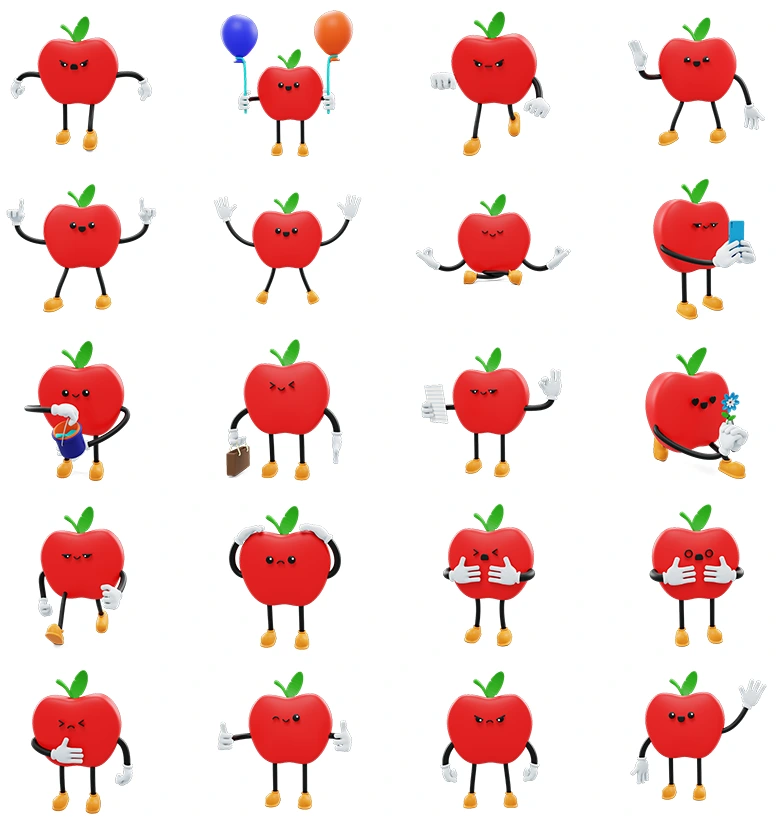
二十组卡通苹果角色素材含.c4d .blend .obj多格式可爱苹果表情动作3D模型合集,满足多行业多场景创作需求Apple - Social Media Emoji Character
Apple - Social Media Emoji Character 3D卡通苹果动漫角色表情图标模型套装是一套极具创意与趣味性的高质量3D角色集合,专为社交媒体、表情包、动画短片、应用场景、教育、品牌宣传、移动端应用及网页互动等多场景而设计制作。本套模型总共包括20个不同的卡通苹果角色,每个角色均采用生动夸张的Q版造型设计,红艳诱人的苹果主体形象、灵动的黑色软管手臂与腿部、个性十足的小巧绿叶、Q萌的五官表情搭配橙黄色鞋底统一配色,营造出令人倍感愉悦的视觉氛围。整体建模风...
-
 Blender 2025-07-03
blender批量导出不同动作模型
在同一个blend文件中有多个模型对象,而且有一套20多个动作库,我需要将这些不同的动作分别根据不同的模型导出成obj,手动指定动作然后导出,很麻烦,很耗时间,所以尝试写了一个脚本,仅供参考:import bpy import os def export_complete_Bone_with_actions(): """导出完整的Bone模型及其所有动作(包含所有...
-
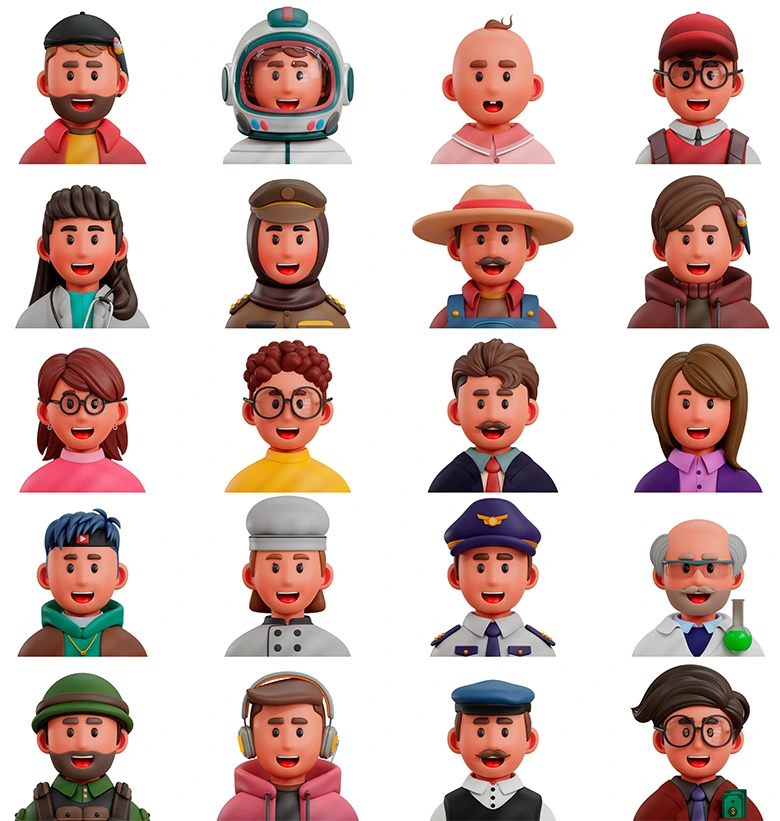
这套3d Professions Icon不同行业与领域人物角色卡通3D图标模型合集,充分展现了丰富的人物设定和鲜明的造型细节,是一套面向互联网3D模型下载网站用户的高质量素材资源。它能够为用户在UI设计、交互动画、网页图标、教育类课件、多媒体演示、短视频插画、数字博物馆、元宇宙大厅、3D场景装饰等多样场景中,提供丰富且极具表现力的角色形象元素,适合各类对主题角色有明确需求的使用场景。这套合集中的全部模型覆盖了诸多热门与代表性职业,包括:艺术家、宇航员、婴儿、学生、医生、警察...